How to Unlock your Data with Power BI Integration
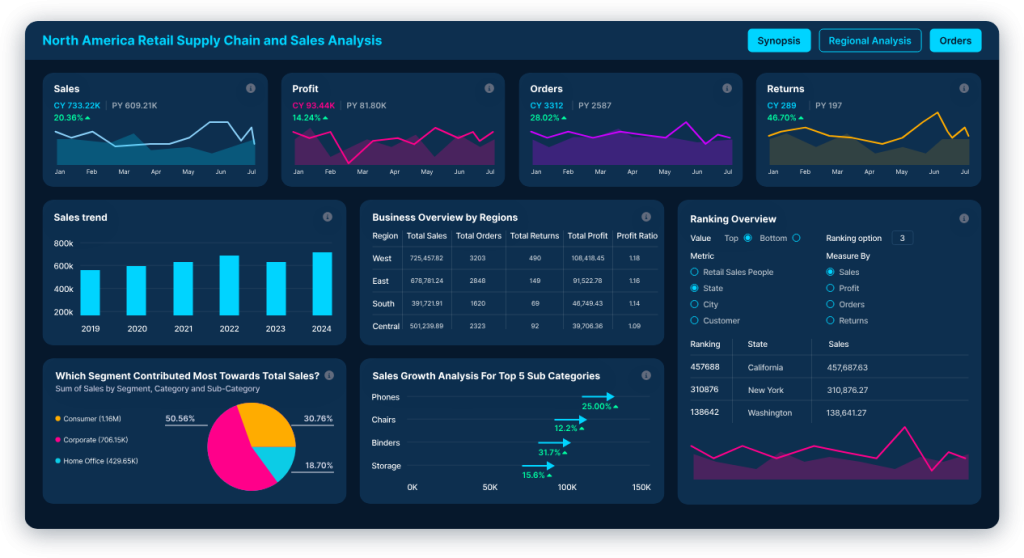
Organizations are generating more information than ever before. Data flows from ERP systems and CRMs to accounting platforms, e-commerce portals, and custom enterprise applications. The modern challenge is no longer collecting this data but transforming it into actionable insight. One of the most effective platforms for this purpose is Microsoft Power BI, a business intelligence solution that enables organizations to analyze data, generate dynamic dashboards, and make informed decisions in real time. For Philippine enterprises seeking to modernize reporting and analytics, deploying Power BI strategically can unlock significant operational advantages. What is Power BI? Microsoft Power BI is a suite of business analytics tools that allows organizations to connect to multiple data sources, transform and model data, and create interactive visualizations. It enables the publication and sharing of dashboards securely while fostering self-service analytics across departments. Power BI is designed for both technical and non-technical users. This allows executives, managers, and operational teams to view real-time metrics without relying heavily on manual reports or spreadsheets. Key Features of Power BI 1. Seamless Data Integration Power BI supports connections to hundreds of data sources. These include Microsoft SQL Server, MySQL, PostgreSQL, Excel spreadsheets, and cloud platforms like Azure and AWS. It also connects via REST APIs to custom-built systems. For organizations with legacy or custom-developed platforms—such as HRIS, logistics, or document management systems—Power BI can be configured to extract and visualize data without disrupting existing operations. 2. Real-Time and Near Real-Time Dashboards Power BI enables immediate reporting through DirectQuery connections, scheduled data refreshes, and streaming datasets. This allows management in the Philippines to monitor sales performance, operational KPIs, inventory levels, and financial indicators as they happen. Instead of waiting for weekly or monthly reports, decision-makers gain immediate visibility into performance trends. 3. Advanced Data Modeling and Analytics The platform includes Data Analysis Expressions (DAX) for complex calculations and Power Query for data transformation. Organizations can go beyond simple charts and develop analytical models that identify trends, forecast outcomes, and highlight performance gaps. 4. Enterprise-Grade Security Security is critical in enterprise environments. Power BI supports role-based access control (RBAC), row-level security (RLS), and integration with Active Directory. This ensures sensitive financial and personnel data is accessible only to authorized users. 5. Mobility and Collaboration Dashboards are accessible via web browsers, mobile applications on iOS and Android, and embedded portals. Reports can also be integrated directly into internal systems such as intranets or CRMs. This allows analytics to become part of daily workflows rather than a separate reporting exercise. A Logical Extension of Microsoft 365 Investments For many organizations in the Philippines, the adoption of Microsoft 365 is already well established. Businesses rely daily on tools such as Excel, SharePoint, Teams, and Outlook. In this context, Power BI becomes a natural and strategic extension of an existing ecosystem investment. Because user identities and security policies are already managed through Azure Active Directory, Power BI deployment becomes more streamlined. Users who are already familiar with Excel find the transition to Power BI intuitive. Data models and calculations built in Excel can be migrated or enhanced within Power BI, which reduces training overhead and accelerates adoption. Why EACOMM is the Ideal Partner in Deploying Power BI in the Philippines While Power BI is accessible, effective deployment requires data architecture planning, proper ETL (Extract, Transform, Load) configuration, and governance framework design. Without proper planning, BI projects risk becoming fragmented reporting tools rather than enterprise-wide decision platforms. With a quarter of a century of experience in enterprise systems development and digital transformation, EACOMM provides end-to-end Power BI consultancy and development services tailored to the Philippine market and beyond. 1. Strategic BI Architecture Design EACOMM begins with a comprehensive review of existing systems and data sources. Instead of creating isolated dashboards, we design a scalable analytics framework aligned with specific business objectives. 2. Custom Integration Expertise Many Philippine organizations operate a mix of legacy systems and cloud-based applications. EACOMM’s experience in custom software development allows seamless integration of Power BI into complex environments, ensuring data consistency and reliability. If need be, EACOMM can easily build APIs and middleware to ensure smooth and full integration of your system databases with Power BI. 3. Secure and Scalable Deployment Whether on-premise, cloud-based, or hybrid, EACOMM configures Power BI environments with proper governance structures, role-based access policies, and optimized performance. 4. Executive-Level Dashboard Design Data is only valuable when clearly presented. EACOMM designs dashboards that are intuitive, role-specific, and KPI-focused. This ensures that leadership teams can make decisions quickly and confidently. 5. Comprehensive End-User Training Successful adoption depends on user capability. EACOMM provides structured training programs covering Power BI basics for business users, advanced data modeling for analysts, and administration for IT teams. These sessions are tailored to the organization’s specific data context. 6. Microsoft Certified Power BI Consultants Our Power BI specialists hold official Microsoft certifications, ensuring that your deployment follows global best practices and utilizes the latest features within the Microsoft Power Platform. Deploy Power BI Today with EACOMM Corporation Business intelligence initiatives deliver real results when they are built on solid technical architecture and guided by experienced systems integrators. With over 25 years of software development and enterprise systems integration experience, EACOMM brings the depth, discipline, and practical insight necessary to ensure successful Power BI deployments across Philippine organizations. Our longstanding expertise in designing and integrating complex platforms—including custom enterprise applications, database-driven systems, and large-scale digital infrastructures—enables us to connect Microsoft Power BI seamlessly to your existing databases and operational systems. Whether your environment is on-premise, cloud-based, or hybrid, we architect solutions that maximize your current technology investments without requiring disruptive overhauls. Beyond technical implementation, EACOMM provides structured configuration, governance planning, and end-user training to ensure that dashboards are not only deployed—but actively used to support informed decision-making across all levels of the organization. If your organization is ready to transform raw data into real-time, actionable insight, partner with EACOMM today. Contact us to discuss how we can design, deploy, and institutionalize a Power BI solution tailored to